
No more trying quality percentages over and over. Enter a target size and ByteFit finds the highest quality that fits. Made for form uploads and email attachment limits.
Instead of guessing what 70% quality will weigh, type the size you need. ByteFit adjusts the quality and keeps the best-looking result that fits. It only shrinks the image dimensions when lowering quality alone isn’t enough.
Enter KB or MB, or tap a preset: 500 KB, 1 MB, 2 MB, 5 MB, 10 MB. Images already under the target are returned as they are.
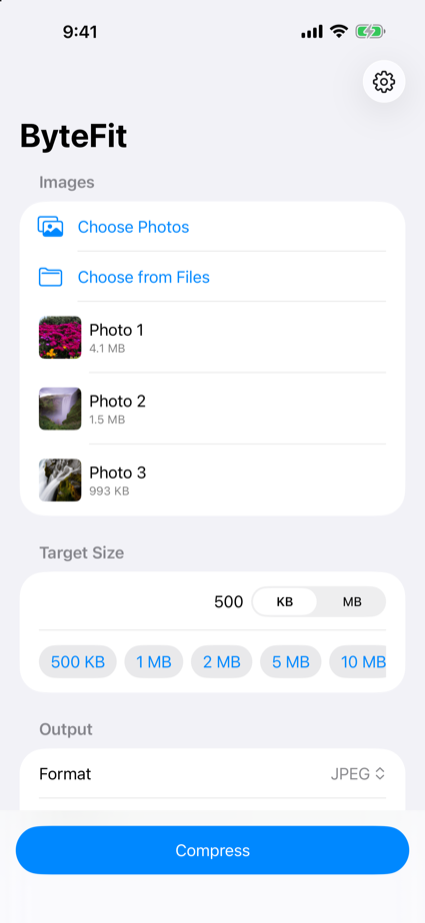
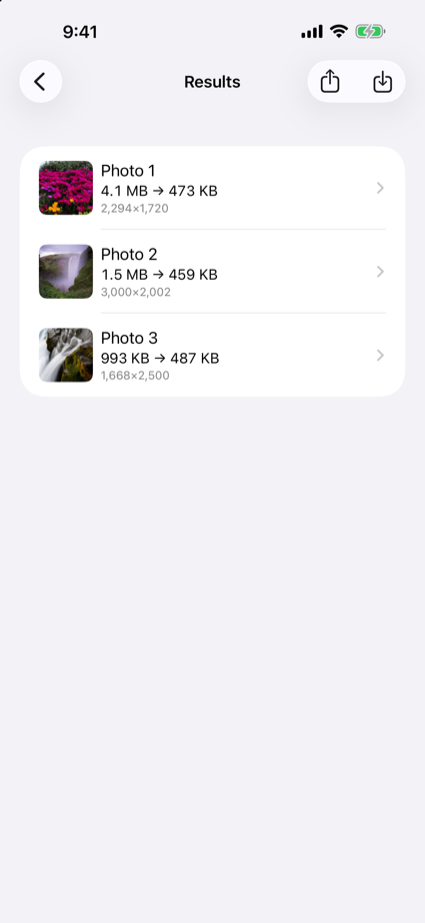
Pick many images at once, watch the progress, and cancel any time. Results show “original size → compressed size” at a glance.
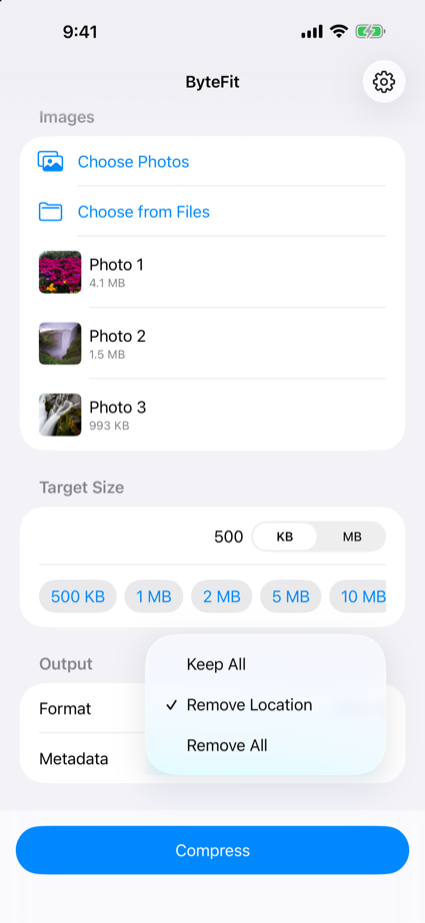
Choose Remove Location (the default), Remove All, or Keep All. HEIC and PNG images convert to JPEG in the same step.
Choose ByteFit from the share menu in Photos or Safari. Compress without opening the app.
The “Compress Images to Size” action fits into your automations.
Every image is processed on your device. No account, no ads, nothing uploaded.
Three steps from too big to just right.
Pick from your photo library or Files. Many at a time is fine.
Type KB or MB, or tap a preset. Choose the format and how metadata is handled.
Tap Compress. Check the result, then save it to Photos or share it.
Everything happens on your device. There is nowhere for the data to go.
All image processing happens on your device. Your images are never sent anywhere.
No sign-up, no login. We don’t even ask for your email.
There is no server to talk to. Every feature works offline.
No analytics SDK and no advertising SDK, at all.
ByteFit reads just the images you choose, never your whole library.
Strip the location from your photos before you post them.
See the Privacy Policy for details.