
There is no start button in Runrunrun. You record the way you always have, with the Workout app on your Apple Watch. This app reads what Health already holds and gives you somewhere to look back on it.
Every kilometre split, the minutes spent in each zone, the streets you actually ran — Health records all of it faithfully. Runrunrun reassembles that same data through a runner's lens.
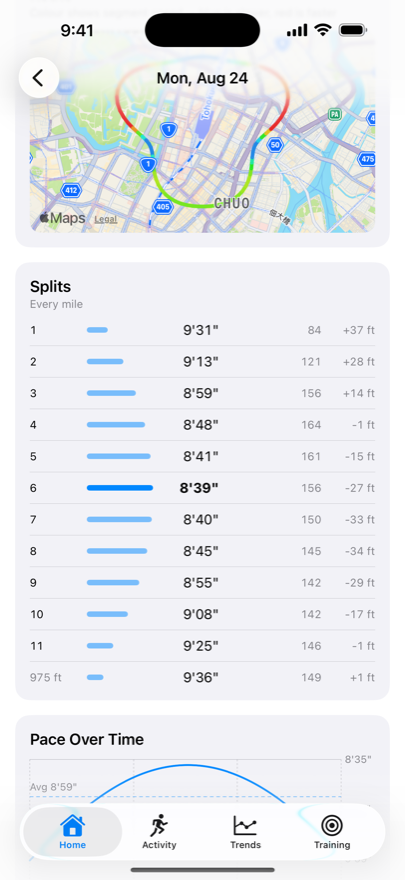
Lap time, pace, average heart rate, and elevation change in one table. The fastest lap is called out, and pace is drawn as a bar so you can see it at a glance. The day you went out too fast is obvious.
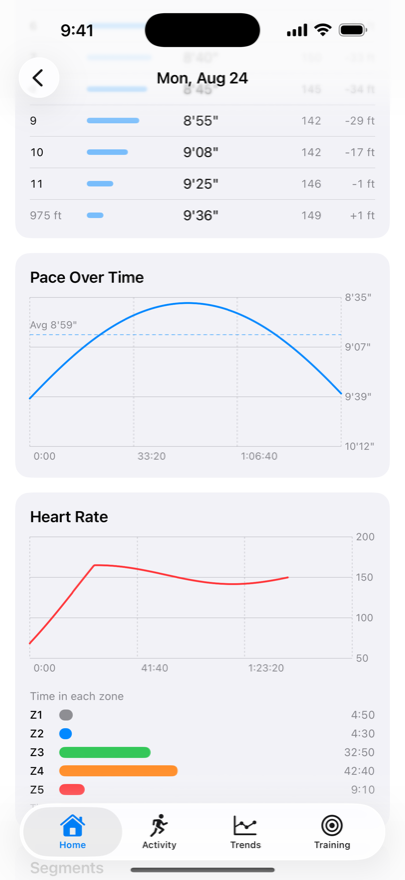
Heart rate over time, plus the minutes spent in each zone. Z1 through Z5, in time and percentage, so you can tell what kind of run it really was. The boundaries bend to fit you.
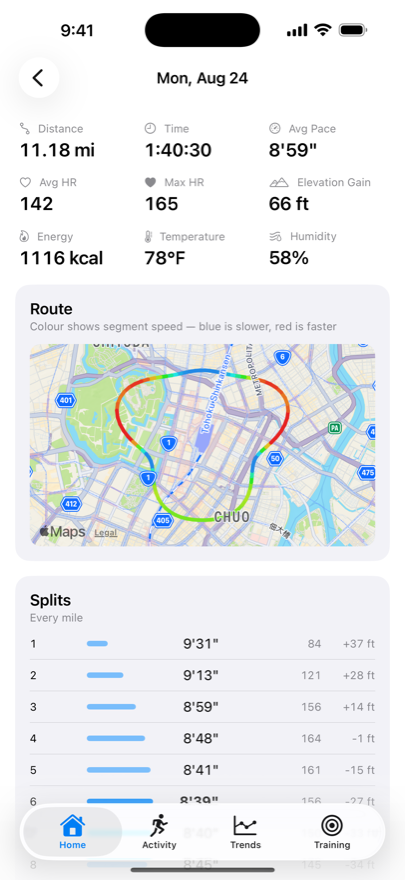
Your GPS track on a map, coloured by pace or elevation, with a marker at every split. Tap for full screen. Indoor runs hide it automatically.
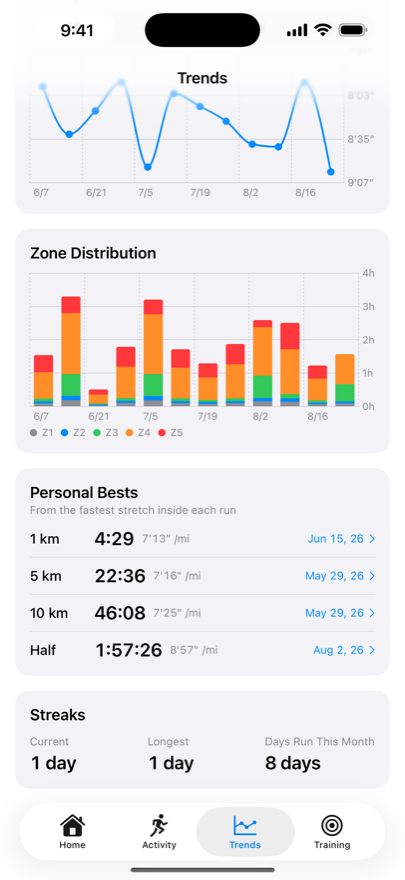
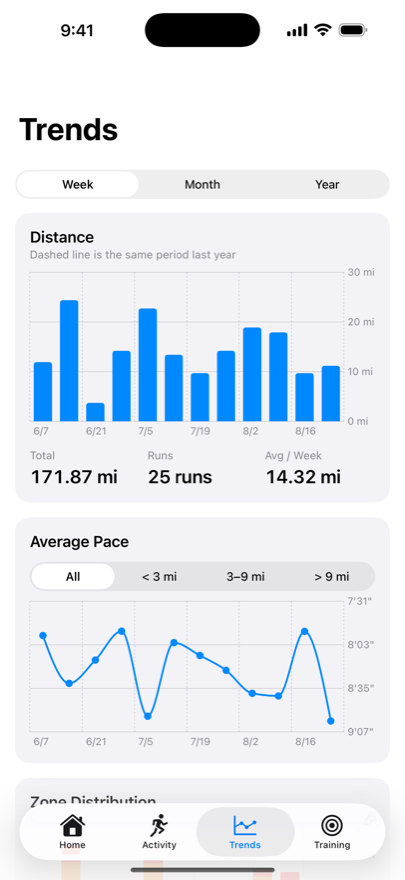
Trends by week, month, or year. The distance chart overlays the same period a year ago, and average pace can be split out by distance band.
Add a note, a perceived effort score, how your body felt, and tags to any run. Turn on the setting and your effort is written back to Health as Workout Effort.
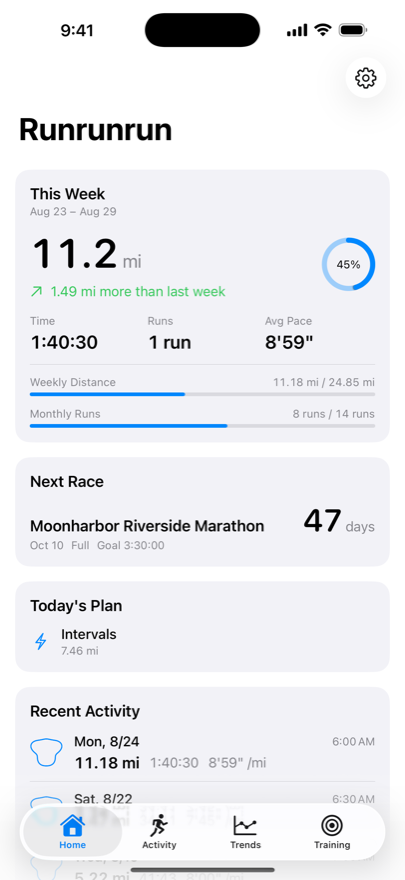
Set weekly or monthly goals on distance, time, or number of runs, and follow the progress from the home screen. Add a race and the countdown stays in view; afterwards, attach the actual run and see the gap against your target.
Everything read from Health is kept on this device alone. It is not synced to iCloud either.
Workouts, heart rate, and routes are stored locally. There is no mechanism to send them to a developer server.
Notes, effort, condition, shoes, goals, races, and plans go to your own private iCloud database — one the developer cannot read.
Nothing to sign up for. There is no developer-operated server behind this app.
No analytics SDK, no advertising SDK. There is no networking code in the app at all.
The only value written back to Health is the effort you typed in yourself. It is off by default and runs only when you turn it on.
Export everything as JSON or CSV, any time. Leaving is as easy as arriving.
Read the full privacy policy.