
The Markdown Viewer & Editor app icon

Markdown files,
readable the moment they open.

A .md file usually opens as plain text, punctuation and all. Markdown Viewer & Editor shows it as a document — headings, tables, checkboxes and all — with a light editor for when something needs fixing.

In App Store review
# Heading **Bold** - [x] Task | Table | ``` Code > Quote [Link](…) ![Image](…)

The file is right there.
You still can’t read it.

READMEs, design notes, meeting notes, anything you had a model write for you. The file is on your phone, and what comes up is the raw text. That is what Markdown Viewer & Editor is for.

As plain text
# Release checklist

**Never ship on a Friday.**
The rest is in `make release`.

- [x] Update the CHANGELOG
- [ ] Tag the release

| Env | Status |
| --- | --- |
| staging | OK |
| production | waiting |
In Markdown Viewer & Editor

Release checklist

Never ship on a Friday. The rest is in make release.

  • Update the CHANGELOG
  • Tag the release
EnvStatus
stagingOK
productionwaiting

A document the moment it opens

Headings, lists, checkboxes, tables, code. GitHub Flavored Markdown, laid out as soon as the file opens. No import step, no conversion to wait for.
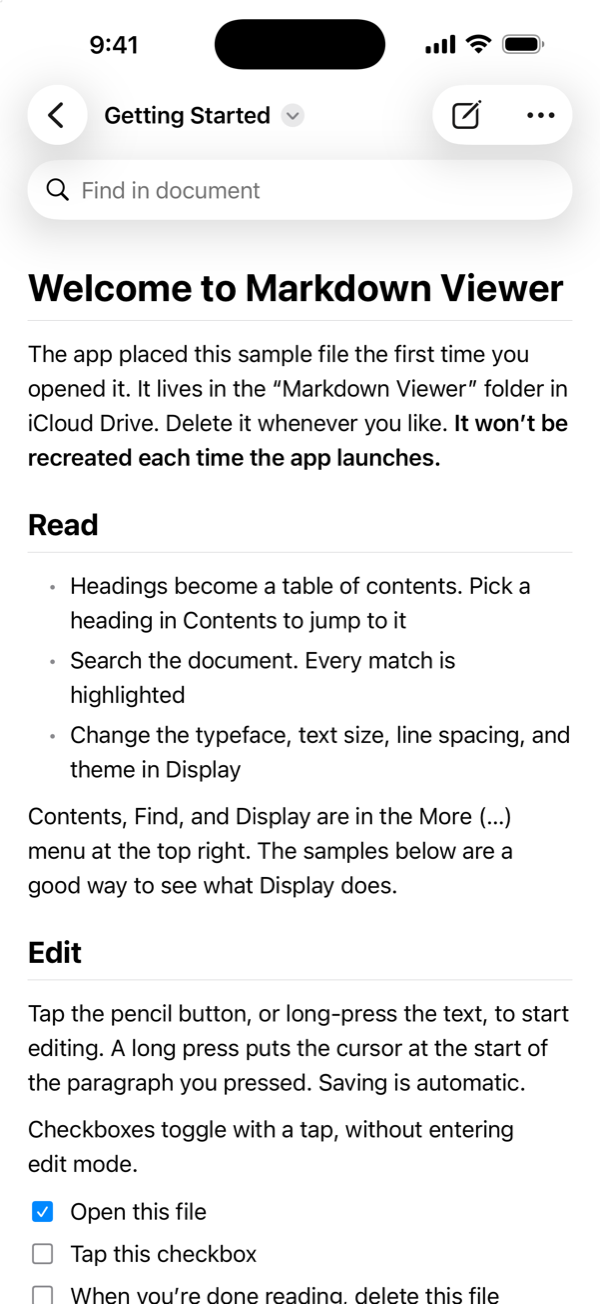
  • Files open where they already live, in iCloud Drive or any third-party file provider
  • Raw HTML is shown as text, never executed
The sample document “Getting Started” open in the app, with headings, a bulleted list, and checkboxes

Check it off with a tap

Task lists toggle on tap, without entering edit mode. The toggle rewrites exactly one character in the source, turning [ ] into [x] and back.
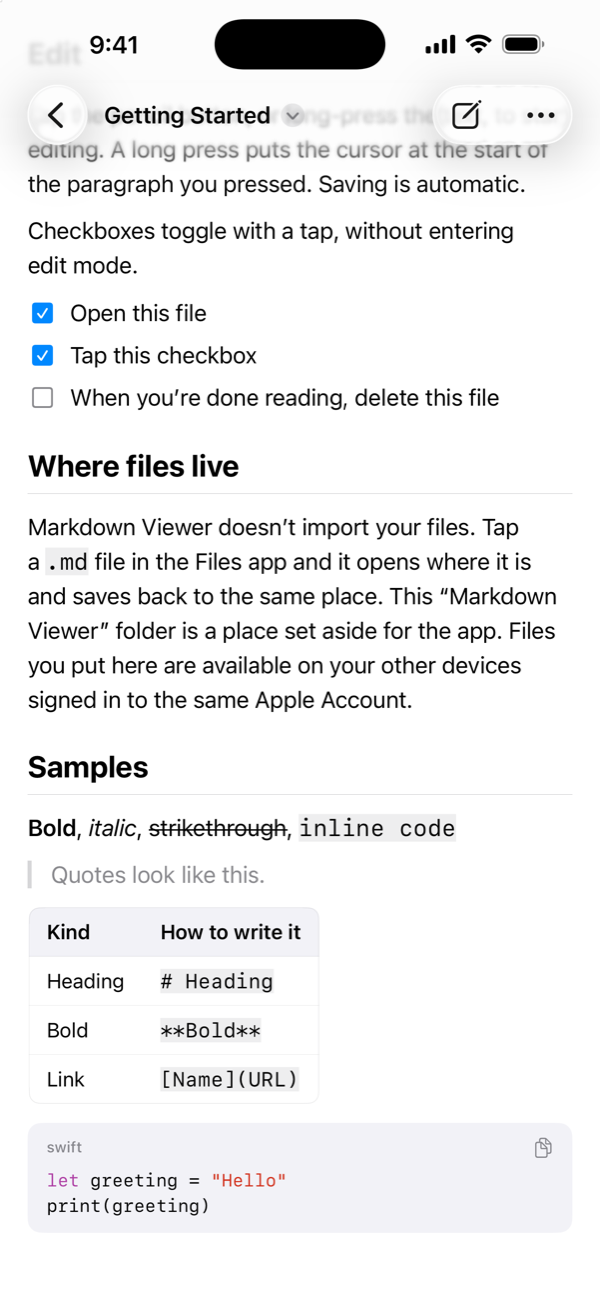
  • Tables scroll sideways and keep their column alignment
  • Code blocks carry a language label and a copy button, with syntax coloring for Swift, Python, JavaScript, and more
  • Images written as URLs are shown. Tap one to open it full screen, and pinch to zoom
Two checkboxes ticked, with a table, a quote, and a Swift code block below

Fix it where it is

Tap the pencil, or long-press a paragraph to start editing at its beginning. What you edit is the plain Markdown.
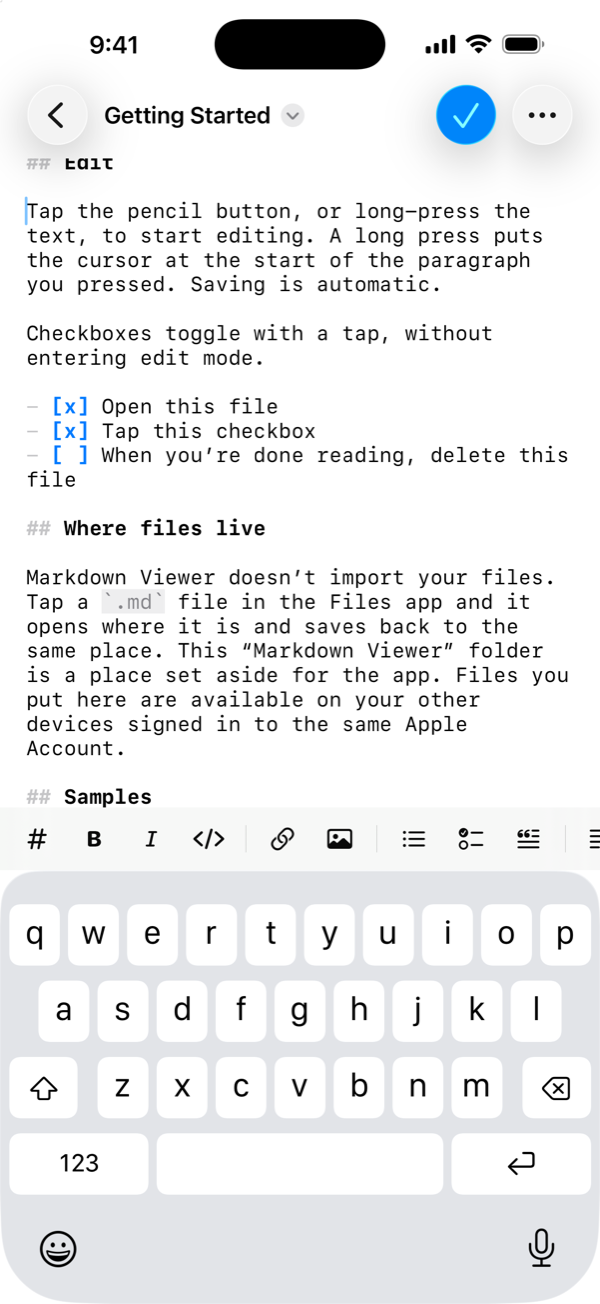
  • Monospaced, with headings, emphasis, code, links, and list markers colored
  • A bar above the keyboard: headings, bold, italic, link, image, code, list, task, quote, indent, undo, redo
  • Return on a list line continues the list. Return on an empty item ends it
  • Saving is automatic, and going back to reading keeps your place
Edit mode: plain Markdown with syntax coloring, and a formatting bar above the keyboard

Long documents, without getting lost

A table of contents is built from your headings; tap one to jump there. Find in document ignores case, character width, and Japanese voiced marks.
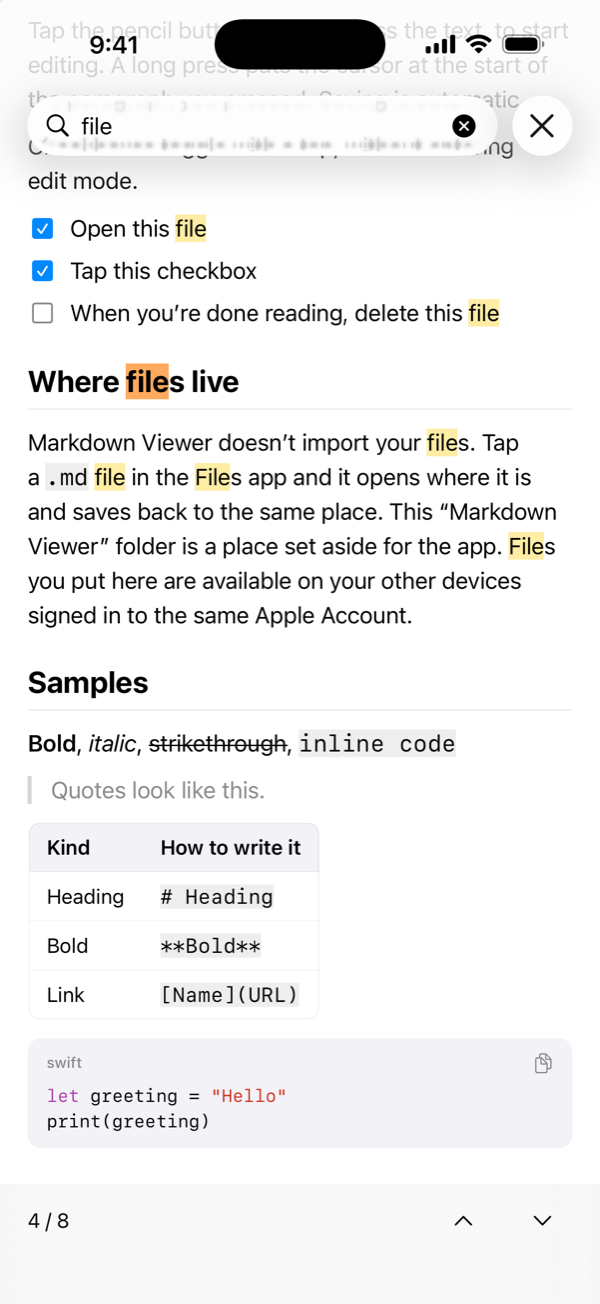
  • Every match is highlighted, and the current one is darker
  • Large files are parsed in the background, so the app keeps responding while it works
Find in document: every match for “file” is highlighted, with the fourth of eight selected

Make it fit your eyes

Serif or sans. Text size and line spacing are yours to set, applied on top of your system text size.
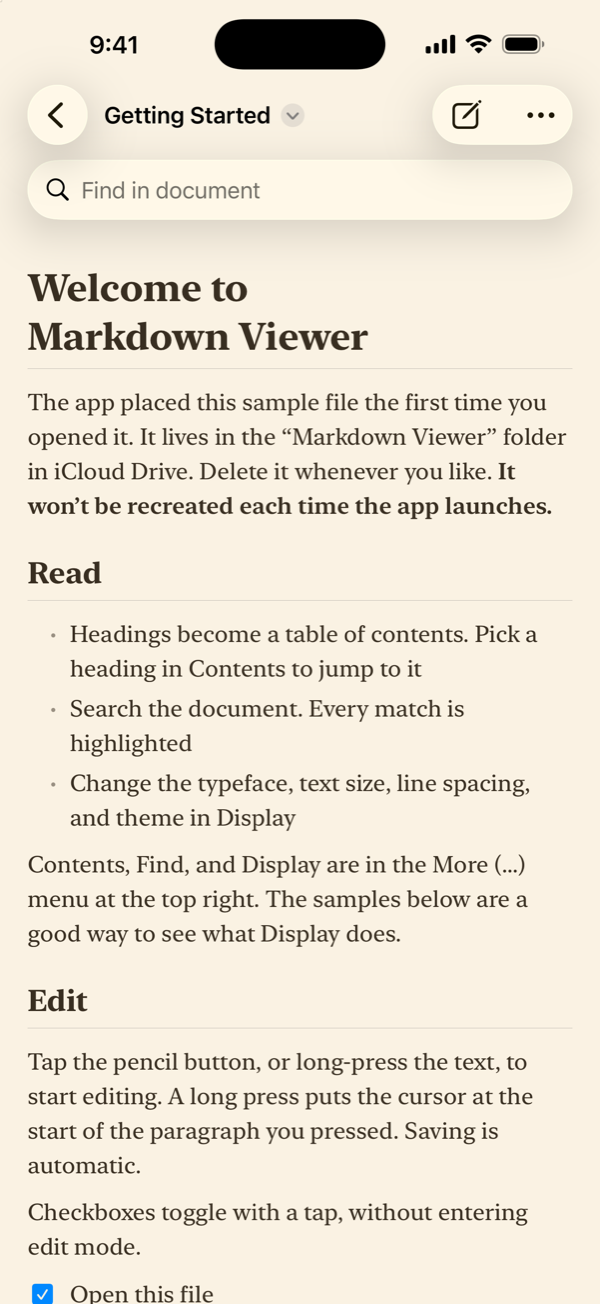
  • Four themes: system, light, dark, and sepia
  • PDF export uses your typeface, text size, and line spacing
  • Share the Markdown source exactly as it is
A document shown in the sepia theme with a serif typeface

Side by side on iPad

Open several documents at once in Stage Manager or Split View. On a wide screen, lines stop at a comfortable width instead of running edge to edge.
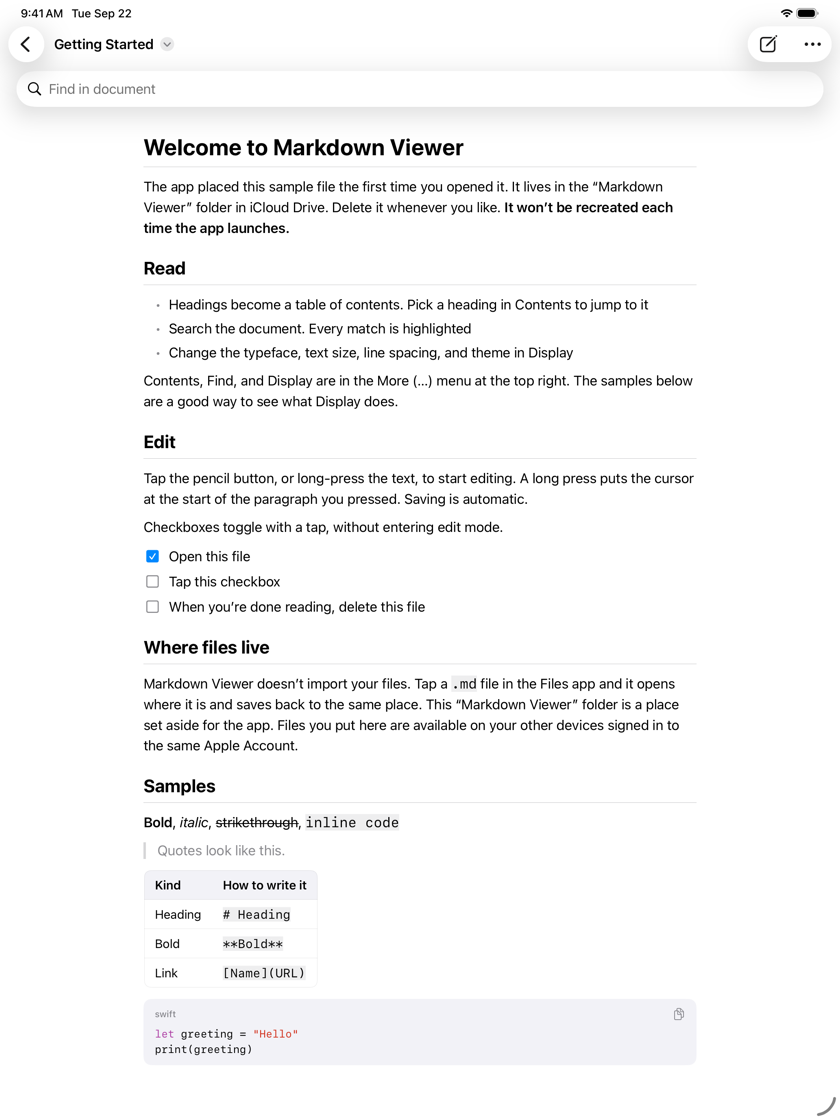
  • With a hardware keyboard, ⌘⇧P switches between reading and editing, ⌘F finds, and ⌘⇧T opens the contents
  • While editing, ⌘B for bold, ⌘I for italic, ⌘K for a link
The sample document on iPad, set at a comfortable line length

What it promises

Before any feature, it was settled what the app must never do to your files.

Your files stay your files

Nothing is imported. The app opens a file where it lives, lets you change it, and hands it back.

  • There is no database inside the app, so there is no import step, no proprietary sync, and nothing kept in two places
  • Stop using it, and your files are exactly where you left them

It saves what you wrote

Read a file and save it again, and every line you did not touch is byte-for-byte identical.

  • Line endings are not converted, trailing spaces are not stripped, list markers are not normalized. Well-meant reformatting pollutes Git diffs and breaks the peace with whatever else edits these files
  • Smart quotes and dash substitution are off for the same reason

The same rules as GitHub

Parsing is done by Apple’s swift-markdown, built on cmark-gfm, GitHub’s own fork of the CommonMark reference parser.

  • Emphasis, tables, and task lists follow the CommonMark and GFM rules as written, the way GitHub renders them
  • One deliberate difference: raw HTML is shown as text and never executed

When two devices disagree, you choose

If the same file is changed on another device or in another app at the same time, you pick which version to keep.

  • Each version shows the device that saved it, when, and how it starts, so you can compare before deciding

Your files never
reach the developer.

No account, no server, no analytics. The app goes online only to fetch an image a document points at, or to open a link you tap.

No account, no server

Nothing to sign up for. There is no server run by the developer.

Nothing held on to

Files are read and written where they live. No copy is made inside the app, and none is sent to the developer.

Images come from the URL written

Only when a document points at an image by URL does the app fetch it, from the address written in the document. Never from the developer.

Links open in a Safari view

A link you tap opens in a Safari view inside the app. The app cannot see what the page contains.

Your photo library stays closed

Inserting an image goes through the system photo picker, so the app never asks to read your library. It receives only the photo you pick.

No ads, no tracking

No analytics or advertising SDKs. The App Store privacy label declares that no data is collected.

For details, see the Privacy Policy.

Requirements

OS
iOS 26.5 / iPadOS 26.5 or later
Devices
iPhone and iPad
Files
.md, .markdown, .mdown, .mkd, and .mdtext, encoded as UTF-8
Syntax
GitHub Flavored Markdown (tables, task lists, strikethrough, autolinks). Math and Mermaid are not supported
Where files live
iCloud Drive, On My iPhone, and third-party file providers. Files are opened in place, never imported
Export
PDF. The Markdown source can be shared as it is
Home Screen name
Markdown Viewer (the iCloud Drive folder has the same name)
Network
Not needed to read or edit. Used only to show images written as URLs, and to open links
Languages
English and Japanese
Price
A one-time purchase. No in-app purchases